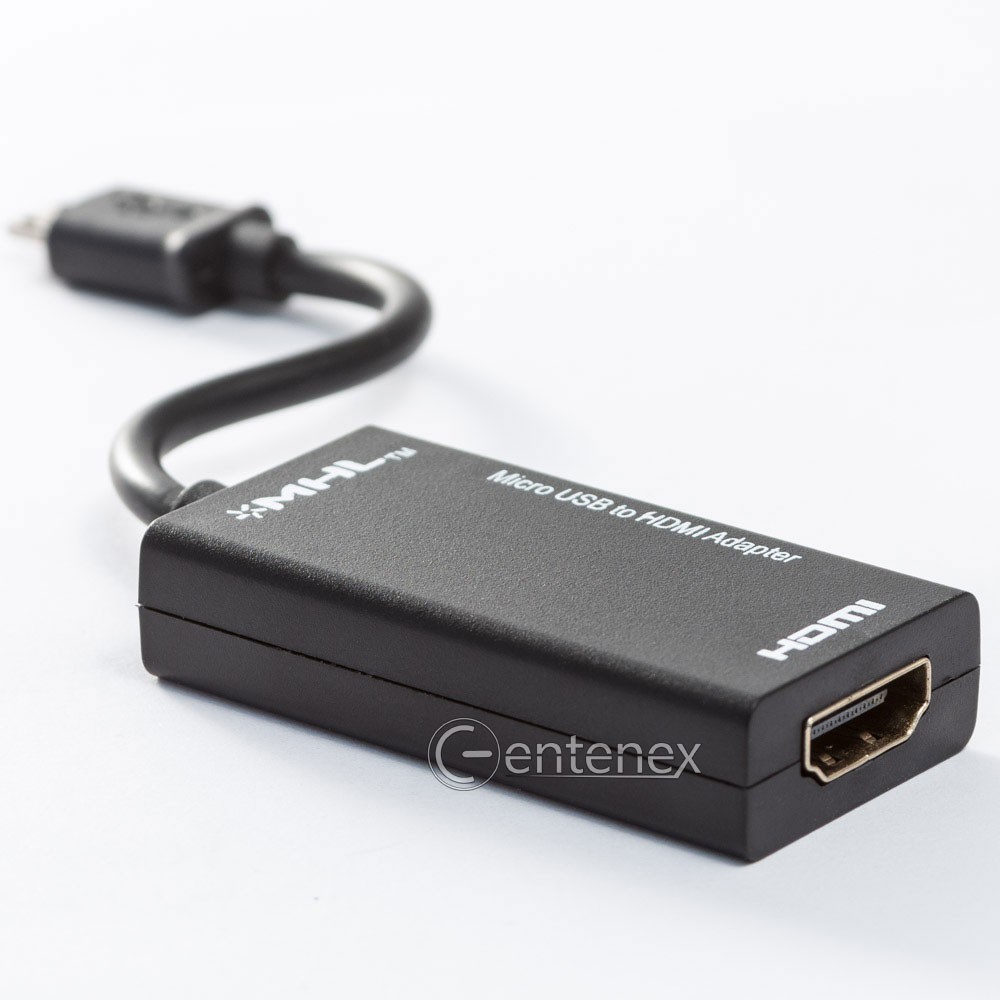
Micro USB to HDMI Adapter,1080p MHL Micro USB Male to HDMI Female
Adapter CableUSD $10.99
Condition : New
Free Shipping
{{variant_type_name}} :

Notify me when the price drops
We will email you if we find a lower price on this product!
To check Compatibility there is a link in the second photo to search for your device compatibility.
⚡[HD Transform] Micro USB 2.0 To HDMI cable, turn your phones port into a standard HDMI port for HD playback.⚡[Support 1080p] Making it easy to watch movies, videos, games, and apps of your phone on a larger screen by this HDMI adapter cable.⚡[Charging Port] The side of this adapter had a micro USB Female for charging. Keep your phone charged while in use with the micro USB port on the side of the adapter.⚡[Small Size] This USB to HDMI adapter with length approx 17cm, compact and lightweight, easy to carry.
⚡[HD Transform] Micro USB 2.0 To HDMI cable, turn your phones port into a standard HDMI port for HD playback.⚡[Support 1080p] Making it easy to watch movies, videos, games, and apps of your phone on a larger screen by this HDMI adapter cable.⚡[Charging Port] The side of this adapter had a micro USB Female for charging. Keep your phone charged while in use with the micro USB port on the side of the adapter.⚡[Small Size] This USB to HDMI adapter with length approx 17cm, compact and lightweight, easy to carry.
- Support 1080p.
- Input Connector: Micro USB Male
- Output Connector: HDMI Female
- Other port: Micro USB Female for charging.
- Turn your phone's MHL port into a standard HDMI port for HD playback.
- Watch movies, videos, games and apps of your phone on a larger screen.
- Keep your phone charged while in use with the micro USB port on the side of the adapter.
- How to use:
- Firstly plug in a standard HDMI cable (not included) in to the MHL Adaptor, and the other end into your HD TV.
- Plug in a micro usb charger adapter (not included) into the port on the MHL adaptor.
- Then plug the MHL adaptor into your compatible phone's micro usb port. Your phone's contents will be mirrored on the big screen.
- Tips:
- MHL must be powered by an external power supply (>5V 1A). After connected with the MHL cable, the phone must be restarted.
- Remember to restart the phone after you plug the MHL cable into your phone in the first time, otherwise there will be no HDMI output.
- If you flash a ROM on your phone, it might not support MHL output anymore.
- Compatible with:
- Samsung:
- Samsung Galaxy S5 i9600;Samsung Galaxy S4 i9500;Samsung Galaxy S4 i9505 LTE;Samsung Galaxy S3 i9300;Samsung Galaxy S3 i9305 LTE;
- Samsung Galaxy S3 Verizon i535;Samsung Galaxy S3 T-Mobile T999;Samsung Galaxy S3 at&t i747;Samsung Galaxy S3 Sprint L710;
- Samsung Galaxy Tab 3 7.0;Samsung Galaxy Tab 3 8.0 SM-T310;Samsung Galaxy Tab 3 10.1 P5200 P5210;Samsung Galaxy Note 8.0 GT-N5100
- N5110 N5120;Samsung Galaxy Note 10.1 2014 Edition SM-P600
- HTC: One XL;One X; One S;EVO 4G LTE;Raider;Velocity;Vivid;Rezound;Amaze 4G;Sensation XE;JetStream;Sensation 4G;EVO View 4G;EVO 3D;Sensation;Flyer
- LG: Optimus GJ(E975W);Optimus G(F180L); Optimus 4X HD; Optimus LTEⅡ;Optimus LTE Tag; Optimus 3D Max; Optimus Vu;Verizon Spectrum;Prada;Nitro HD
- Sharp:AQUOS PAD SHT21;AQUOS Phone Zeta SH-09D;AQUOS Phone Sv SH-10D; AQUOS Phone SERIES ISW 16SH
- Sony: Xperia Z1; Xperia Z Ultra; Xperia UL; Xperia ZR; Xperia A,C; Xperia Tablet Z; Xperia SP; Xperia Z; Xperia ZL; Xperia TL; Xperia TX; Xperia T;
- Xperia V; Xperia GX; Xperia SX
- Huawei:Ascend P1 S; Ascend P1;Ascend D Quad XL; Ascend D Quad; Ascend D1
- Xiaomi: Xiaomi Mi 2
- Meizu: MX;MX2
- Acer: CloudMobile
- OPPO: Find 3;OPPO X905
- ZTE:Era;U970;PF200;PF120

Price type
IN STOCK
OUT STOCK







 .
.
